Save your patterns
Import a PDF or save a pattern link from the iPhone share menu. Keep the source with it, and sort your library into projects you want to make, have started, or have finished.
 Corvid Craft
 Pattern & project organizer for iPhone
Save the PDF or link. Keep your row count, notes, and photos with the project. Open it again when you’re ready to make.
Free for up to 25 patterns. Optional Premium.
For iPhone with iOS 17 or later.
 And a crow companion, if a little company helps.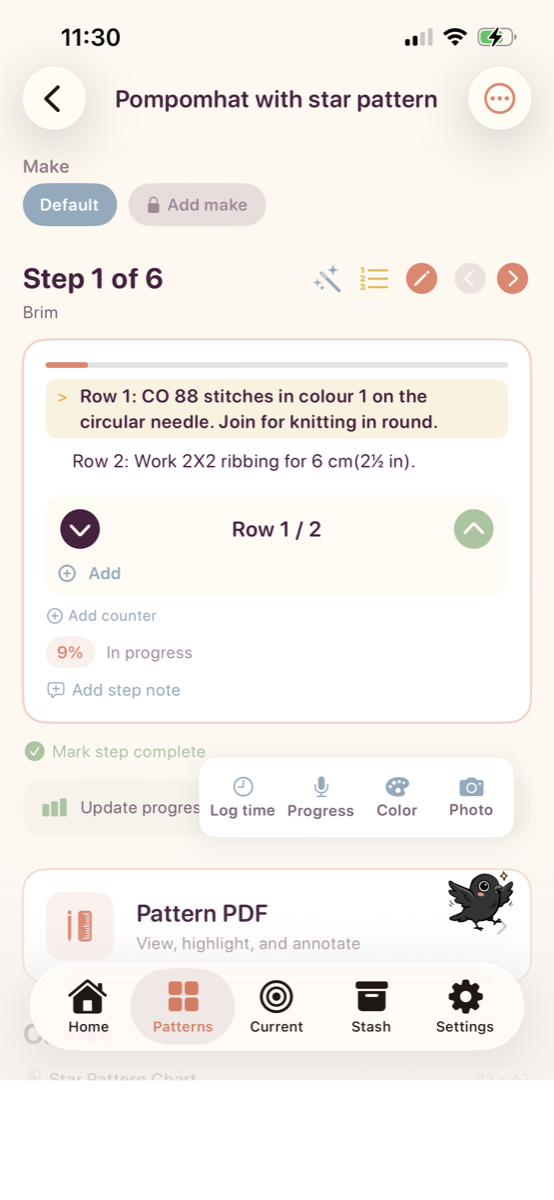
What you can do
Built around the PDFs, links, and projects you already have.
Import a PDF or save a pattern link from the iPhone share menu. Keep the source with it, and sort your library into projects you want to make, have started, or have finished.
Count rows and repeats, follow a chart, and add notes or progress photos. When you come back to a project, your saved progress is there.
Keep a record of your yarn, needles, hooks, and swatches alongside your patterns. Check what you own when you’re planning a project.
These are app screenshots with an example knitting project. Your own patterns stay at the center.
Keep your row count and project notes next to the instructions you’re following.
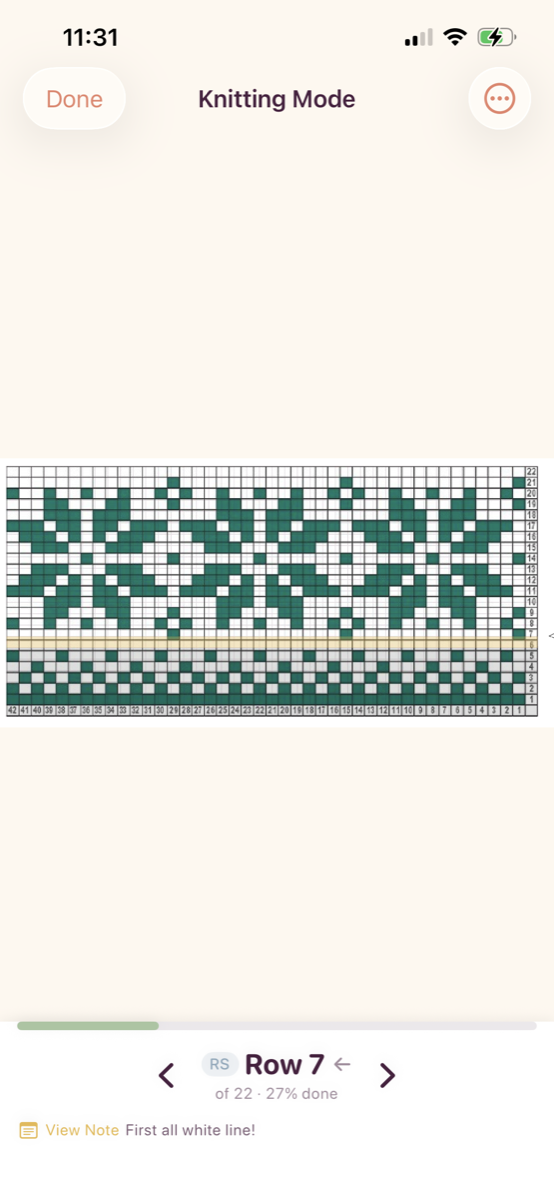
Highlight the row you’re working on. Interactive chart tracking is included in the free app.
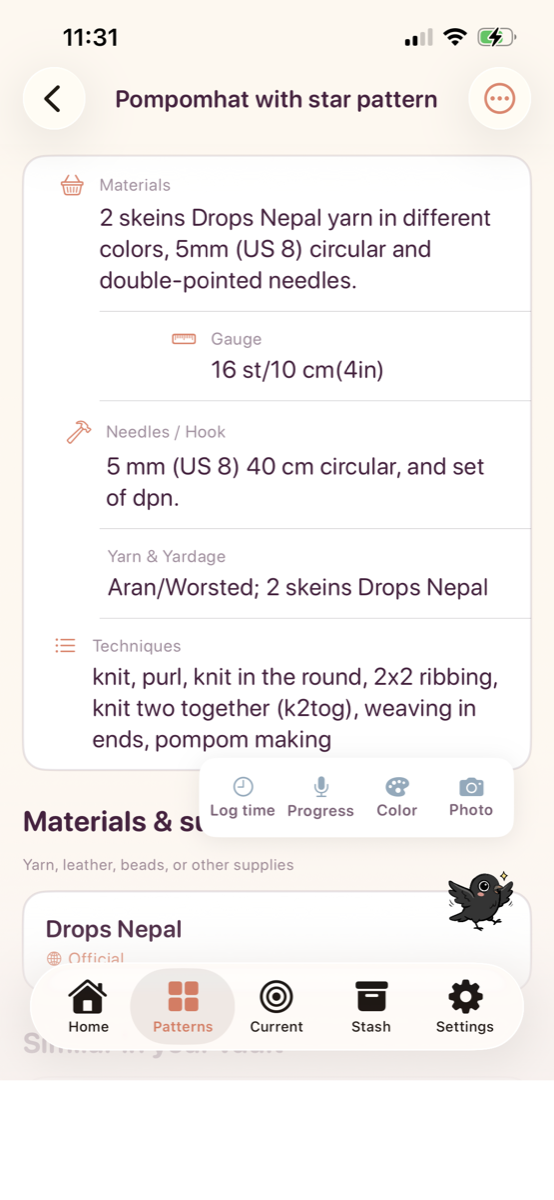
Refer to materials, gauge, and tools without searching through separate notes.
Our approach to AI
AI should support crafters, not replace them or the designers whose patterns they use. Corvid Craft doesn’t use AI to create patterns.
Optional AI tools can help extract steps and details from an existing pattern. Keep the original, check the results, and edit anything that needs correcting. Your skills and the designer’s instructions guide the work.
AI processing requires your permission and an internet connection. You can use the library, notes, and manual tracking without it.
Try organizing instructions from an existing pattern →
A saved link or PDF lets you refer back to the original pattern. AI output is something to review, not a replacement for it.
The free app includes the tools to save a pattern and work through a project.
Free download
Includes ads. Up to 3 YouTube extraction attempts per month count toward the 5 AI requests.
Optional subscription
Monthly and yearly plans. Prices and billing terms are shown in the app before you subscribe.
A larger AI task may use several requests. If Premium ends, your existing saved work remains readable and exportable.
Bramble is the official name of Corvid Craft’s crow companion. You can give your own crow any name you like in the app.


About me
I love making gifts for friends and their pets, trying new techniques, and collecting more patterns than I can finish. After a year of saving TikTok videos, Etsy patterns, and blog posts, I kept losing track of where I’d put them.
I built Corvid Craft to keep my patterns and projects together. I’m also getting into leatherworking and beading, and I’d like the app to grow with the crafts I’m learning.
I’m very susceptible to a virtual pet asking me to come back to a project or keep up a habit. That’s part of why there’s a crow in this app: I like having a little companion while I work.
If you try it, I’d love to hear what you’re making and what would help. You can reach me here.
You can save links from the share menu, including links from Ravelry, Etsy, YouTube, TikTok, and blogs. Some sites save as links only. Purchased patterns and pages behind a login may still need the original site or a PDF you’ve downloaded.
Downloaded or pinned PDFs and saved project progress are available offline. Web links, video content, account sync, and AI tools need an internet connection.
No. You can save patterns, add notes, and use manual counters and chart tracking without AI. Optional AI tools organize existing material; they don’t create patterns.
You can collect PDFs and links and keep project notes for other crafts too. Row counters, charts, and the yarn stash are especially useful for knitting and crochet.
Download Corvid Craft for iPhone and add your first project.
Download on the App Store